 Tally Prime


 Busy 21
 Tally Mobile App
 BookKeepr Software
Search Results for: tally prime

22
Feb
Feb
Feature
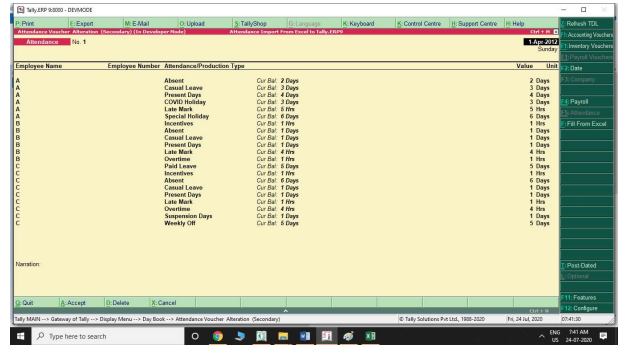
Avoid difficulties in entering daily/monthly attendance entries in default Tally. Ensuring an easy
import of data from a biometric device to tally.
22
Feb
Feb
Feature
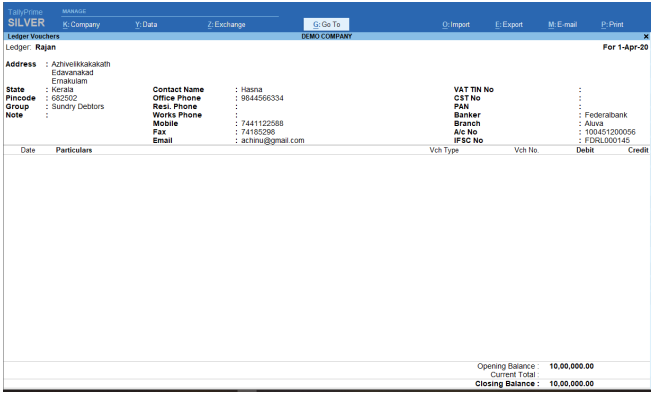
This module provides a button to change the view of default Tally ledger
report in to the detailed mode. The detailed mode provides all master information
such as Contact, Address Details, Bank Details, Tax Registration Details and
Ledger Notes etc.
IF YOU HAVE ANY QUERY PLZ CALL US.@9838541297.9811782535.9811782537.9811782548

22
Feb
Feb
Features:
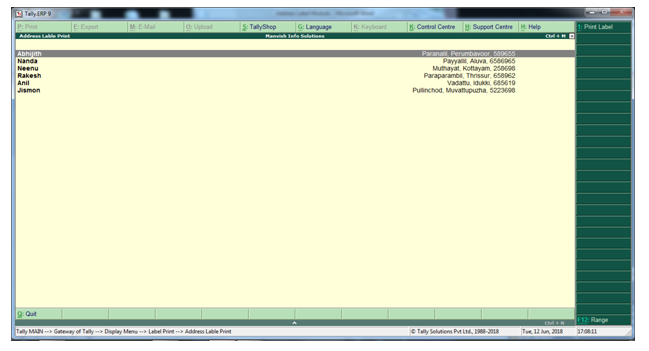
- This enable you to print multiple customer address on a single feature.
- While printing you have the following options:
- Group wise
- Ledger wise
- Range
Label Type: NovaJet PML 12 – 100 X 44 mm
IF YOU HAVE ANY QUERY PLZ CALL US.@7838541297.9811782535.9811782537.9811782548

22
Feb
Feb
Feature
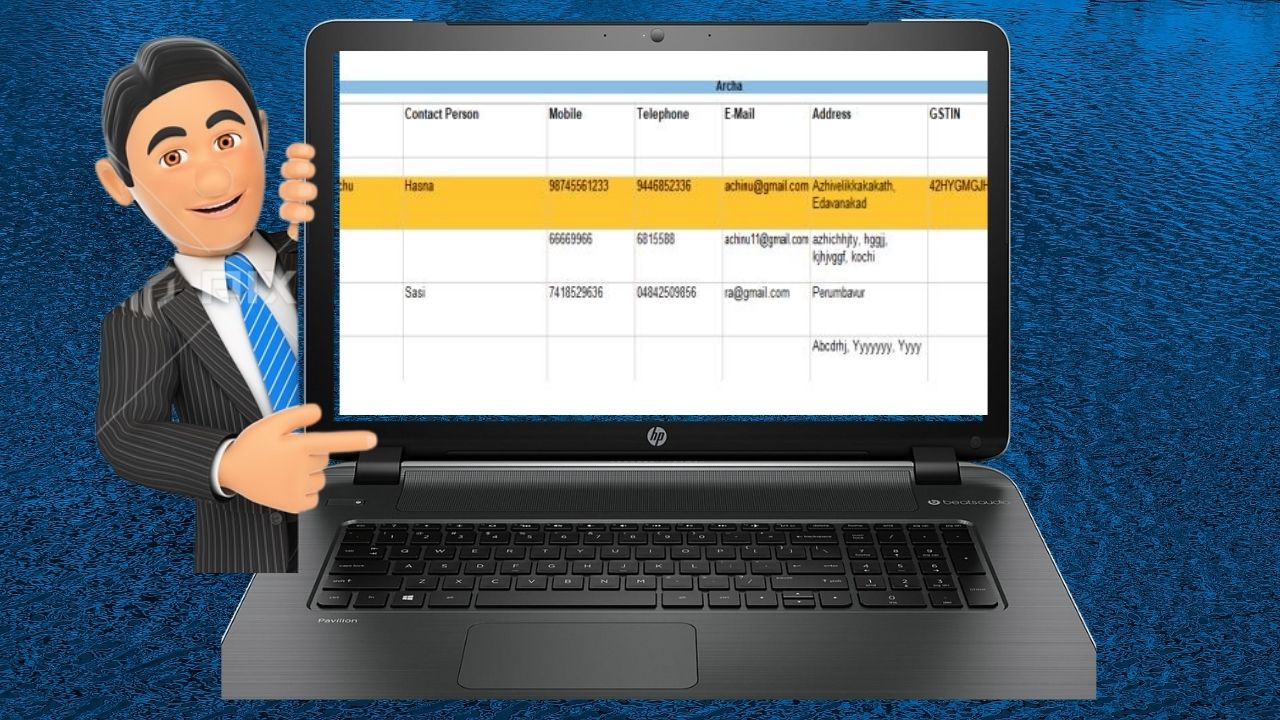
Address Book allows you to retrieve the customers/Suppliers address,
contacts and other registration details in a single report. It can be print vertically
or horizontally as suitable for address labe
PLZ CALL US IF YOU HAVE ANY QUERY.@7838541297. 9811782535.9811782548.9811782537

18
Feb
Feb
How to Install the TDL File in Tally
Step 1. Go to Gateway of Tally.
Step 2. Then Press Ctrl+Alt+T button
Step 3. Now Press F4 Button or Click on “Manage Local TDL” button
Step 4. Now do “Yes” to “Loan TDL Files on Startup” option
Step 5. Now in the next line “List of TDL Files to preload on Startup” Enter the TDL File Path or Location Like “E:File.tdl”
Step 6. Now save the settings
Your TDL File is ready to use.